Note Anytime
무료
2.0.0for iPhone, iPad and more
1.9
1 Ratings
Kuo Yang Chang
Developer
21.1MB
Size
Nov 16, 2016
Update Date
Productivity
Category
4+
Age Rating
Age Rating
Note Anytime 스크린 샷
About Note Anytime
Note Anytime로 언제 어디서나 멋진 일들을 추적할 수 있습니다.
언제 어디서나 아이디어를 간직하세요.
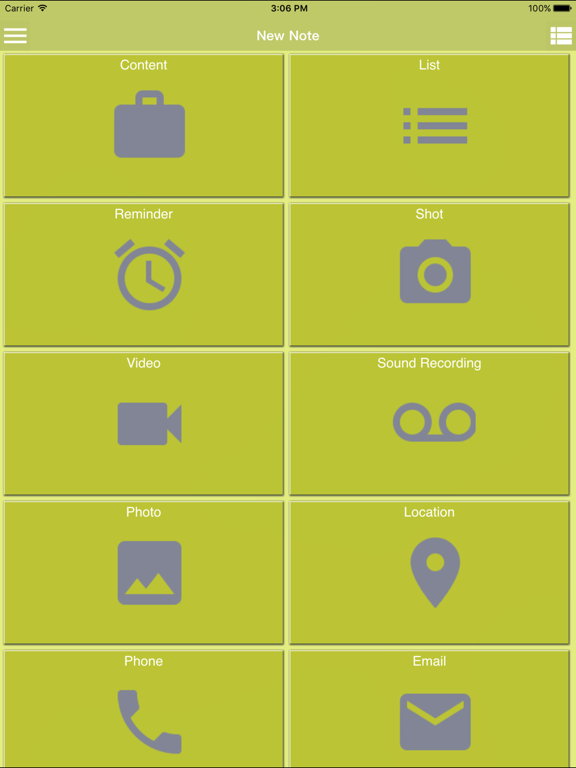
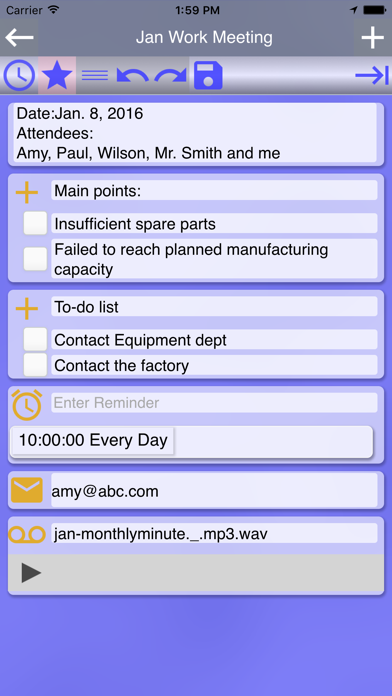
메모 추가, 알림 설정, 사진/동영상 촬영으로 머릿 속에 떠오르는 생각을 실시간으로 메모하세요. 장소를 검색하고 전화번호를 저장하여 나중에 통화할 수 있습니다. 어디에서든 메모를 공유하세요.
메모를 그룹별로 정렬
다양한 색상, 태그, 카테고리별로 메모에 라벨을 붙여서 동일한 메모는 같이 나타납니다.
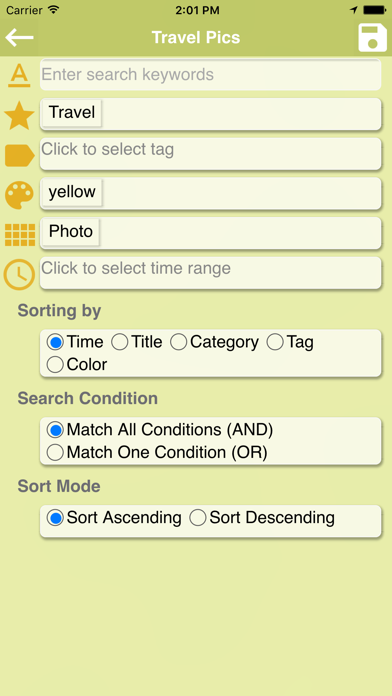
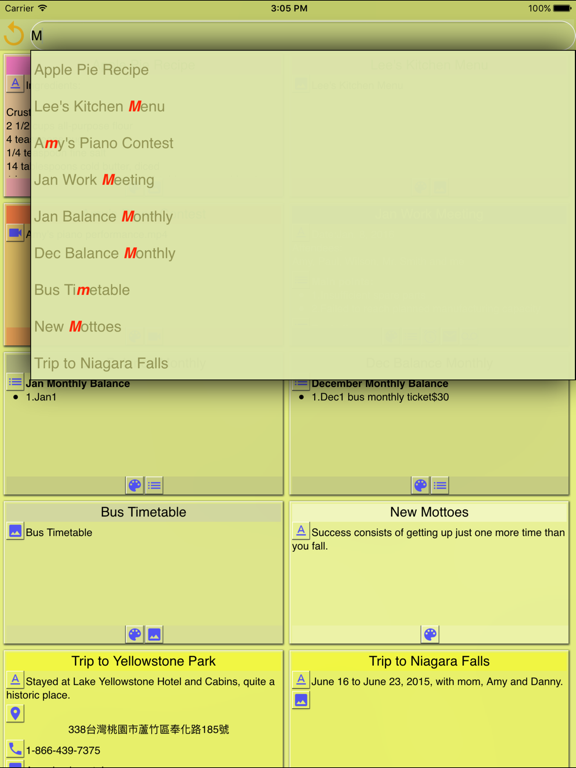
스마트 검색
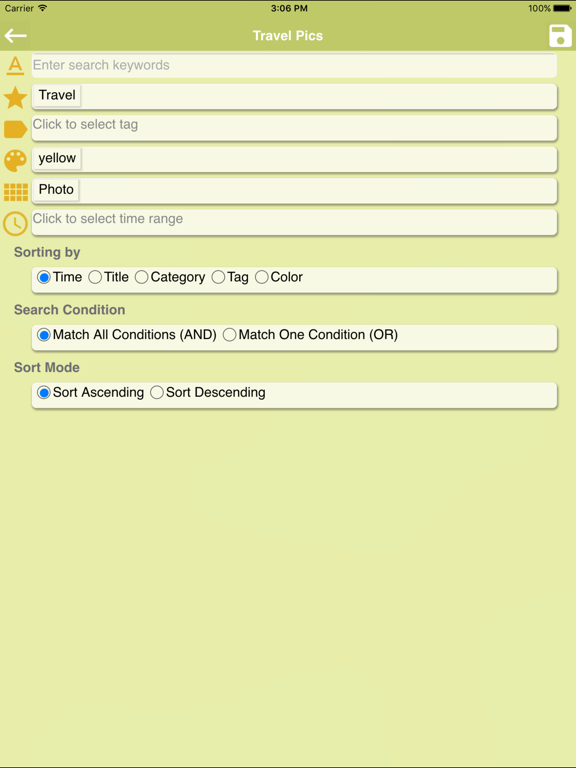
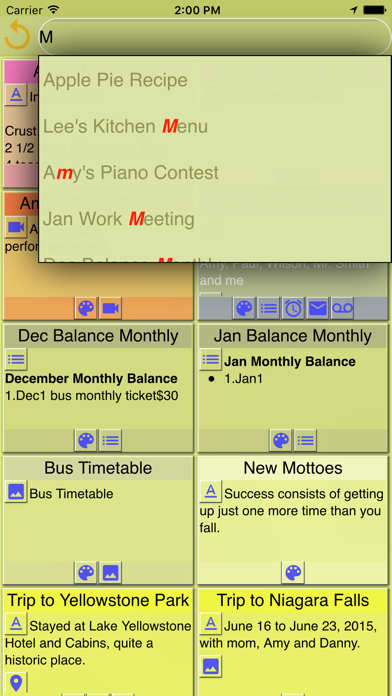
빠른 검색 또는 스마트 검색으로 가서 다중 조건 검색을 하거나 이후 입력을 관리할 수 있습니다.
일상에 적용
‧잘 알지 못하는 곳에 있다면 위치를 저장하여, 나중에 다시 방문할 수 있습니다.
‧레스토랑에서 요리와 메뉴 사진을 찍거나, 전화번호를 입력하거나, 위치를 파악하고 하나의 메모에 저장한 다음 다른 사람과 공유하고 나중에 예약할 수 있습니다.
핵심 특징
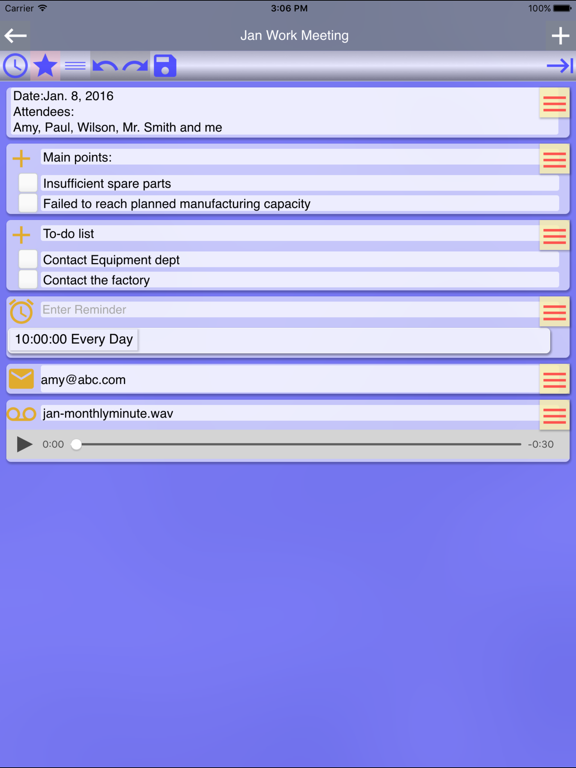
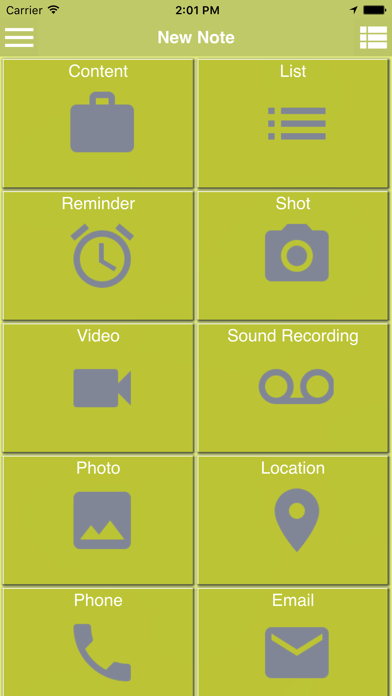
‧다음의 다양한 종류의 구성으로 메모를 다시 만들거나 이를 메모에 추가할 수 있습니다.
-텍스트 구성 요소 생성
-1회 또는 반복 알림 생성
-카메라로 사진을 찍고 마음 속의 생각을 주석으로 첨가
-카메라를 동영상을 촬영하고 느낌을 주석으로 첨가
-음성 녹음으로 목소리 구성을 만들고 주석 첨가
-음성 입력으로, 텍스트 구성 생성
-전화기의 멀티미디어에 산재된 사진, 동영상 또는 음성 녹음을 선택하여 구성 요소 생성
-위치 구성 요소를 통해 현재의 위치 자동으로 검색. 앵커를 자유롭게 이동하고 재설정하며, 임의의 장소와 인근의 것들을 검색합니다. 또한, 여행 일정을 계획하고 맵을 실행하여 다음 목적지를 탐색합니다.
-전화기 구성 요소를 만들어, 통화할 번호를 클릭할 수 있습니다.
-이메일 구성 요소를 만들어 이를 클릭하여 메모를 수신자와 공유합니다.
‧다음을 할 수 있는 유연한 도구를 제공합니다.
-메모 콘텐츠를 다른 앱과 공유
-이메일로 전송
-SMS로 전송
‧메모 관리 도구로, 선택한 메모에 다음을 할 수 있습니다.
-삭제
-메모의 기존 요소에 영향을 주지 않고 메모에 태그 추가
-메모에서 태그 삭제
-카테고리, 태그 및/또는 색상 구성
‧생성한 카테고리와 태그 삭제
‧설정에서 홈 필터를 편집하여 홈에 표시하고 싶은 메모를 필터링합니다. 필터링 조건은 키워드, 카테고리, 태그, 색상, 구성요소 종류 및/또는 수정 시간에 따라 설정할 수 있습니다. 또한 시간, 제목, 카테고리, 태그, 색상으로 정렬 순서를 편집할 수 있습니다.
‧스마트 검색으로 다중 조건을 설정하고 재사용할 수 있는 검색 입력을 관리합니다.
‧카테고리, 태그, 색상 순서 정렬을 구성합니다.
‧내보낸 데이터를불러와서 이전에 생성한 메모를 복원합니다.

언제 어디서나 아이디어를 간직하세요.
메모 추가, 알림 설정, 사진/동영상 촬영으로 머릿 속에 떠오르는 생각을 실시간으로 메모하세요. 장소를 검색하고 전화번호를 저장하여 나중에 통화할 수 있습니다. 어디에서든 메모를 공유하세요.
메모를 그룹별로 정렬
다양한 색상, 태그, 카테고리별로 메모에 라벨을 붙여서 동일한 메모는 같이 나타납니다.
스마트 검색
빠른 검색 또는 스마트 검색으로 가서 다중 조건 검색을 하거나 이후 입력을 관리할 수 있습니다.
일상에 적용
‧잘 알지 못하는 곳에 있다면 위치를 저장하여, 나중에 다시 방문할 수 있습니다.
‧레스토랑에서 요리와 메뉴 사진을 찍거나, 전화번호를 입력하거나, 위치를 파악하고 하나의 메모에 저장한 다음 다른 사람과 공유하고 나중에 예약할 수 있습니다.
핵심 특징
‧다음의 다양한 종류의 구성으로 메모를 다시 만들거나 이를 메모에 추가할 수 있습니다.
-텍스트 구성 요소 생성
-1회 또는 반복 알림 생성
-카메라로 사진을 찍고 마음 속의 생각을 주석으로 첨가
-카메라를 동영상을 촬영하고 느낌을 주석으로 첨가
-음성 녹음으로 목소리 구성을 만들고 주석 첨가
-음성 입력으로, 텍스트 구성 생성
-전화기의 멀티미디어에 산재된 사진, 동영상 또는 음성 녹음을 선택하여 구성 요소 생성
-위치 구성 요소를 통해 현재의 위치 자동으로 검색. 앵커를 자유롭게 이동하고 재설정하며, 임의의 장소와 인근의 것들을 검색합니다. 또한, 여행 일정을 계획하고 맵을 실행하여 다음 목적지를 탐색합니다.
-전화기 구성 요소를 만들어, 통화할 번호를 클릭할 수 있습니다.
-이메일 구성 요소를 만들어 이를 클릭하여 메모를 수신자와 공유합니다.
‧다음을 할 수 있는 유연한 도구를 제공합니다.
-메모 콘텐츠를 다른 앱과 공유
-이메일로 전송
-SMS로 전송
‧메모 관리 도구로, 선택한 메모에 다음을 할 수 있습니다.
-삭제
-메모의 기존 요소에 영향을 주지 않고 메모에 태그 추가
-메모에서 태그 삭제
-카테고리, 태그 및/또는 색상 구성
‧생성한 카테고리와 태그 삭제
‧설정에서 홈 필터를 편집하여 홈에 표시하고 싶은 메모를 필터링합니다. 필터링 조건은 키워드, 카테고리, 태그, 색상, 구성요소 종류 및/또는 수정 시간에 따라 설정할 수 있습니다. 또한 시간, 제목, 카테고리, 태그, 색상으로 정렬 순서를 편집할 수 있습니다.
‧스마트 검색으로 다중 조건을 설정하고 재사용할 수 있는 검색 입력을 관리합니다.
‧카테고리, 태그, 색상 순서 정렬을 구성합니다.
‧내보낸 데이터를불러와서 이전에 생성한 메모를 복원합니다.
Show More
최신 버전 2.0.0의 새로운 기능
Last updated on Nov 16, 2016
오래된 버전
Apple Watch 앱 아이콘을 표시하도록 Apple에서 이 앱을 업데이트했습니다.
1. Add a feature that a note created on each category, tag or color screen is automatically set with the same category, tag or color.
2. Add a feature that a note is selected after holding it down.
3. Add three languages—Spanish, French and Japanese.
1. Add a feature that a note created on each category, tag or color screen is automatically set with the same category, tag or color.
2. Add a feature that a note is selected after holding it down.
3. Add three languages—Spanish, French and Japanese.
Show More
Version History
2.0.0
Nov 16, 2016
Apple Watch 앱 아이콘을 표시하도록 Apple에서 이 앱을 업데이트했습니다.
1. Add a feature that a note created on each category, tag or color screen is automatically set with the same category, tag or color.
2. Add a feature that a note is selected after holding it down.
3. Add three languages—Spanish, French and Japanese.
1. Add a feature that a note created on each category, tag or color screen is automatically set with the same category, tag or color.
2. Add a feature that a note is selected after holding it down.
3. Add three languages—Spanish, French and Japanese.
1.9.0
Oct 27, 2016
1. Add a feature that a note created on each category, tag or color screen is automatically set with the same category, tag or color.
2. Add a feature that a note is selected after holding it down.
3. Fix a few issues to enhance performance.
2. Add a feature that a note is selected after holding it down.
3. Fix a few issues to enhance performance.
1.8.1
Sep 30, 2016
1.Fix an occasional issue of a flickering screen
2.Add a Help
3.Now a thumbnail for a video is displayed.
4.A link to video tutorials is added.
5.Fix the issue that text in components isn't searched in a quick search.
6.Fixed iOS 10 feature
2.Add a Help
3.Now a thumbnail for a video is displayed.
4.A link to video tutorials is added.
5.Fix the issue that text in components isn't searched in a quick search.
6.Fixed iOS 10 feature
1.8.0
Sep 28, 2016
1.Fix an occasional issue of a flickering screen
2.Add a Help
3.Now a thumbnail for a video is displayed.
4.A link to video tutorials is added.
5.Fix the issue that text in components isn't searched in a quick search.
2.Add a Help
3.Now a thumbnail for a video is displayed.
4.A link to video tutorials is added.
5.Fix the issue that text in components isn't searched in a quick search.
1.7.0
Jul 19, 2016
1. Add a feature of multiple-selecting notes, so as to delete multiple notes, assign a category, tags, or a color to multiple notes, add/remove several tags to/from multiple notes.
2. Add a feature of configuring the display of memo icons
3. In Settings, remove Search Mode and Sort Mode and integrate both into Edit Home Filter.
4. Fix the issue that all notes are shown when no notes are found after doing a search at Home.
5. Fix the issue caused by turning off a reminder.
6. Fix the issue that items in a list memo aren't searched while doing an instant search.
2. Add a feature of configuring the display of memo icons
3. In Settings, remove Search Mode and Sort Mode and integrate both into Edit Home Filter.
4. Fix the issue that all notes are shown when no notes are found after doing a search at Home.
5. Fix the issue caused by turning off a reminder.
6. Fix the issue that items in a list memo aren't searched while doing an instant search.
1.6.1
May 23, 2016
1. Fix the bug that a pop-up menu displayed incorrectly when doing instant search
2. Fix an issue with List memo to remove extra numbers
3. Fix an issue with Reminder memo to remove remaining information from last input
2. Fix an issue with List memo to remove extra numbers
3. Fix an issue with Reminder memo to remove remaining information from last input
1.6.0
May 2, 2016
1. For home search, all texts and descriptions can now be searched, and the process is improved.
2. Add a direct editing mode in the settings. Upon switching on, you can edit notes directly when entering them.
3. The feature of editing home filter is newly added to filter the notes you'd like to display on Home.
4. Fix the issue that audio files and videos play repeatedly.
5. Fix the issue that partial map memo might overlap.
6. Fix the issue that the first checkbox in a list disappear.
7. Fix the issue that the buttons above a map component might disappear.
2. Add a direct editing mode in the settings. Upon switching on, you can edit notes directly when entering them.
3. The feature of editing home filter is newly added to filter the notes you'd like to display on Home.
4. Fix the issue that audio files and videos play repeatedly.
5. Fix the issue that partial map memo might overlap.
6. Fix the issue that the first checkbox in a list disappear.
7. Fix the issue that the buttons above a map component might disappear.
1.5.0
Apr 15, 2016
1. To polish the UI, the default color of the app is slightly adjusted.
2. In Search home, the title of all saved search favorites are now editable.
3. Planning a tour itinerary through Location service is newly added. Plan ahead and use the itinerary to initiate Google Map to navigate to your next destination along the way. It’s reusable.
4. The detailed features of planning a tour itinerary include retrieving current location automatically, moving and resetting the anchor freely, searching any location, and searching nearby locations.
2. In Search home, the title of all saved search favorites are now editable.
3. Planning a tour itinerary through Location service is newly added. Plan ahead and use the itinerary to initiate Google Map to navigate to your next destination along the way. It’s reusable.
4. The detailed features of planning a tour itinerary include retrieving current location automatically, moving and resetting the anchor freely, searching any location, and searching nearby locations.
1.1.0
Mar 17, 2016
1. Modify an issue of language and region.
2. Improve the performance of the app.
1.0.0
Mar 11, 2016
Note Anytime FAQ
제한된 국가 또는 지역에서 Note Anytime를 다운로드하는 방법을 알아보려면 여기를 클릭하십시오.
Note Anytime의 최소 요구 사항을 보려면 다음 목록을 확인하십시오.
iPhone
iOS 7.0 이상 필요.
iPad
iPadOS 7.0 이상 필요.
iPod touch
iOS 7.0 이상 필요.
Note Anytime은 다음 언어를 지원합니다. 영어