Notes Basic

Notes Basic


Gratis

1.6.1for iPhone, iPad
Age Rating
4+
Apps in this category do not contain restricted content.
9+
Apps in this category may contain mild or occasional cartoon, fantasy or real-life violence, as well as occasional or mild adult, sexually suggestive or horrifying content and may not be suitable for children under 9 years of age.
12+
Apps in this category may contain occasional mild indecent language, frequent or intense cartoon or real-life violence, minor or occasional adult or sexually suggestive material, and simulated gambling, and may be for children under 12 years of age.
17+
You must be at least 17 years old to access this App.
Apps in this category may contain frequent and intense offensive language; Frequent and intense cartoon, fantasy or realistic violence: frequent and intense adult, scary and sexually suggestive subjects: as well as sexual content, nudity, tobacco, alcohol and drugs, may not be suitable for children under 17 years of age.
Notes Basic Screenshots
Notes Basic PlakatNotes Basic PlakatNotes Basic PlakatNotes Basic Plakat

About Notes Basic

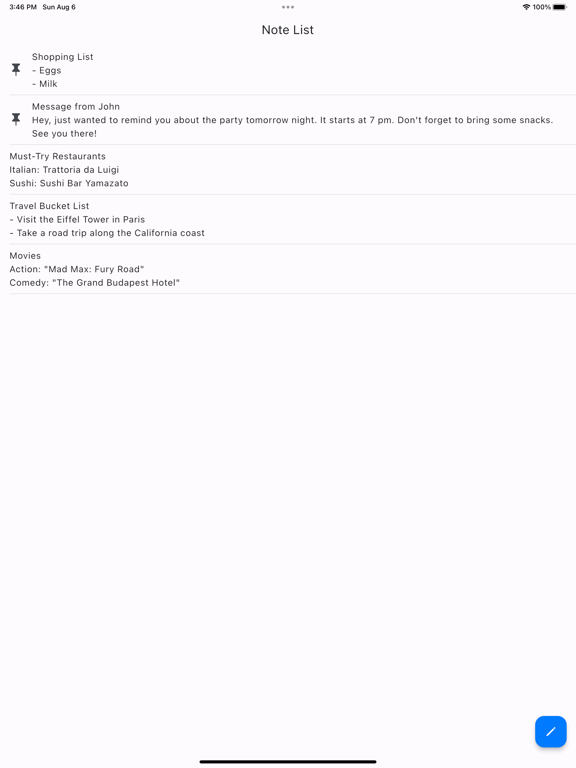
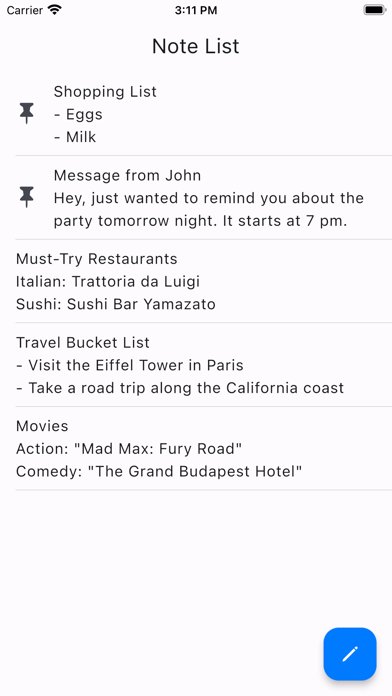
■ "Note List" Screen
The screen displays a list of saved notes.
When you edit a note, it will automatically appear at the top of the list.

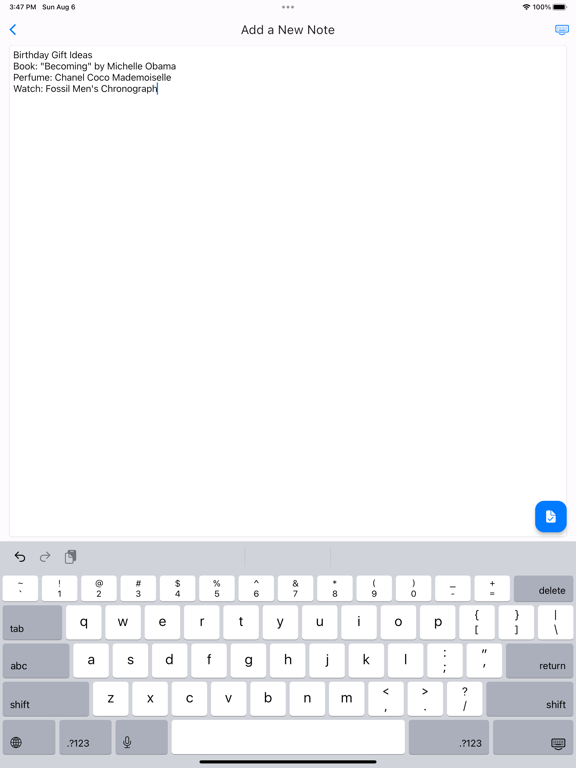
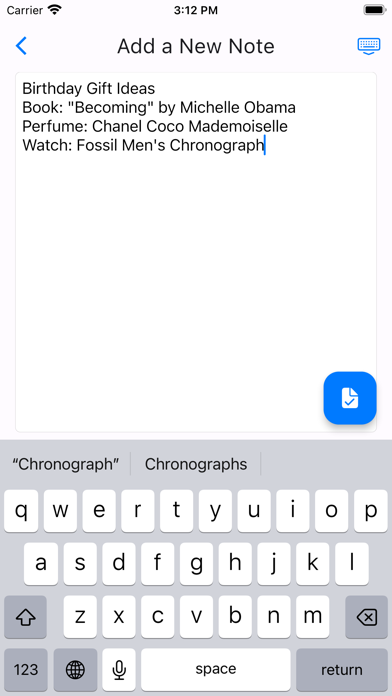
■ Add a note
1. Tap the button at the bottom right of the "Note List" screen.
2. After editing on the "Add a New Note" screen, tap the button at the bottom right to save.
*If you go back with a swipe, changes will not be saved.

■ Edit a note
1. Tap the note you want to edit on the "Note List" screen.
2. After making changes on the "Edit the Note" screen, tap the button at the bottom right to save the changes.
*If you go back with a swipe, changes will not be saved.

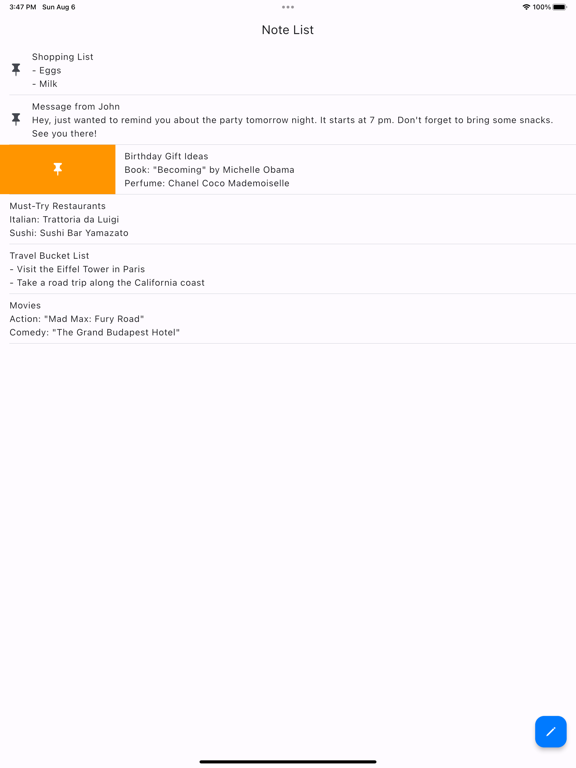
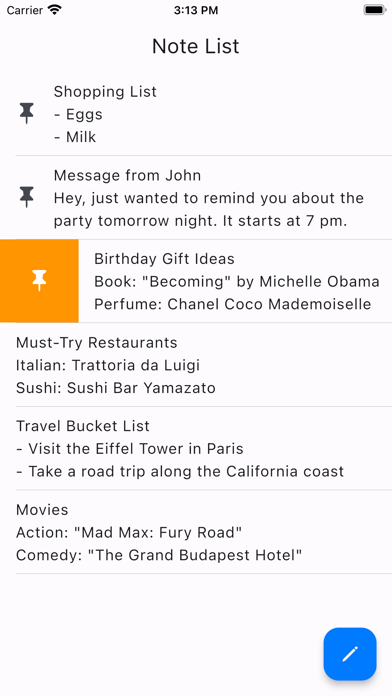
■ Pin/unpin a note
When you pin a note, it will remain at the top of the "Note List" screen.
Pinned notes will show a pushpin icon.
1. On the "Note List" screen, swipe to the right on the note you want to pin.
2. An orange pin icon button will appear, so tap it.
* To unpin a note, perform the same action.

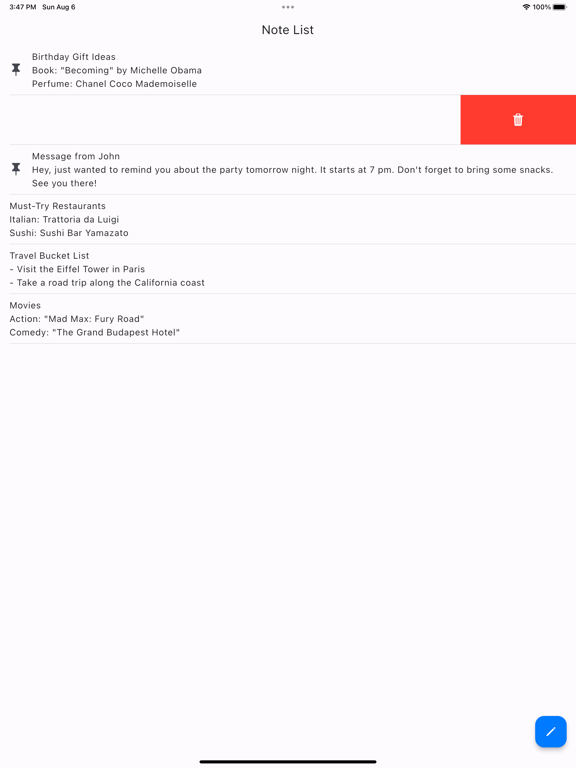
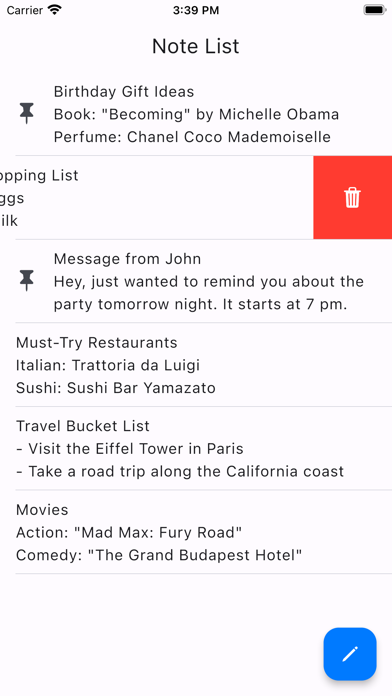
■ Delete a note
1. On the "Note List" screen, swipe to the left on the note you want to delete.
2. A red trash can icon button will appear, so tap it.
3. A confirmation message will appear, so tap "Delete Note."
* Deleted notes cannot be restored.

Show More

Was ist neu in der neuesten Version 1.6.1

Last updated on Mar 19, 2026
Alte Versionen
Improved app stability.
Show More
Version History
1.6.1
Mar 19, 2026
Improved app stability.

Notes Basic FAQ

Klicken Sie hier, um zu erfahren, wie Sie Notes Basic in eingeschränkten Ländern oder Regionen herunterladen können.
Überprüfen Sie die folgende Liste, um die Mindestanforderungen von Notes Basic zu sehen.
iPhone
iPad

Notes Basic Alternative

Das könnte Ihnen auch gefallen

Erhalte mehr von Yudai Abe